- 3agent modes
- 23declared tools (14 / 6 / 8)
- 57assemblies in the genome picker
- 5 Mbscope limit on four numeric tools
Find your way
Getting started
Install the workspace, run the desktop app or the local web app, and open your first project.
Genome browser
Search genes, zoom and pan, add tracks from public hubs or URLs, and tune track settings.
Assistant tools
Every declared tool by mode: parameters, results, limits and the citation each one issues.
Citations and evidence
How tool-issued tokens become chips, what the evidence panel shows, and what a chip does not prove.
Developers
The renderer, the local backend, the agent runtime bridge, the eg3 engine and the on-disk layout.
Reference
Keyboard shortcuts, the genome assemblies you can pick, configuration settings and a glossary.
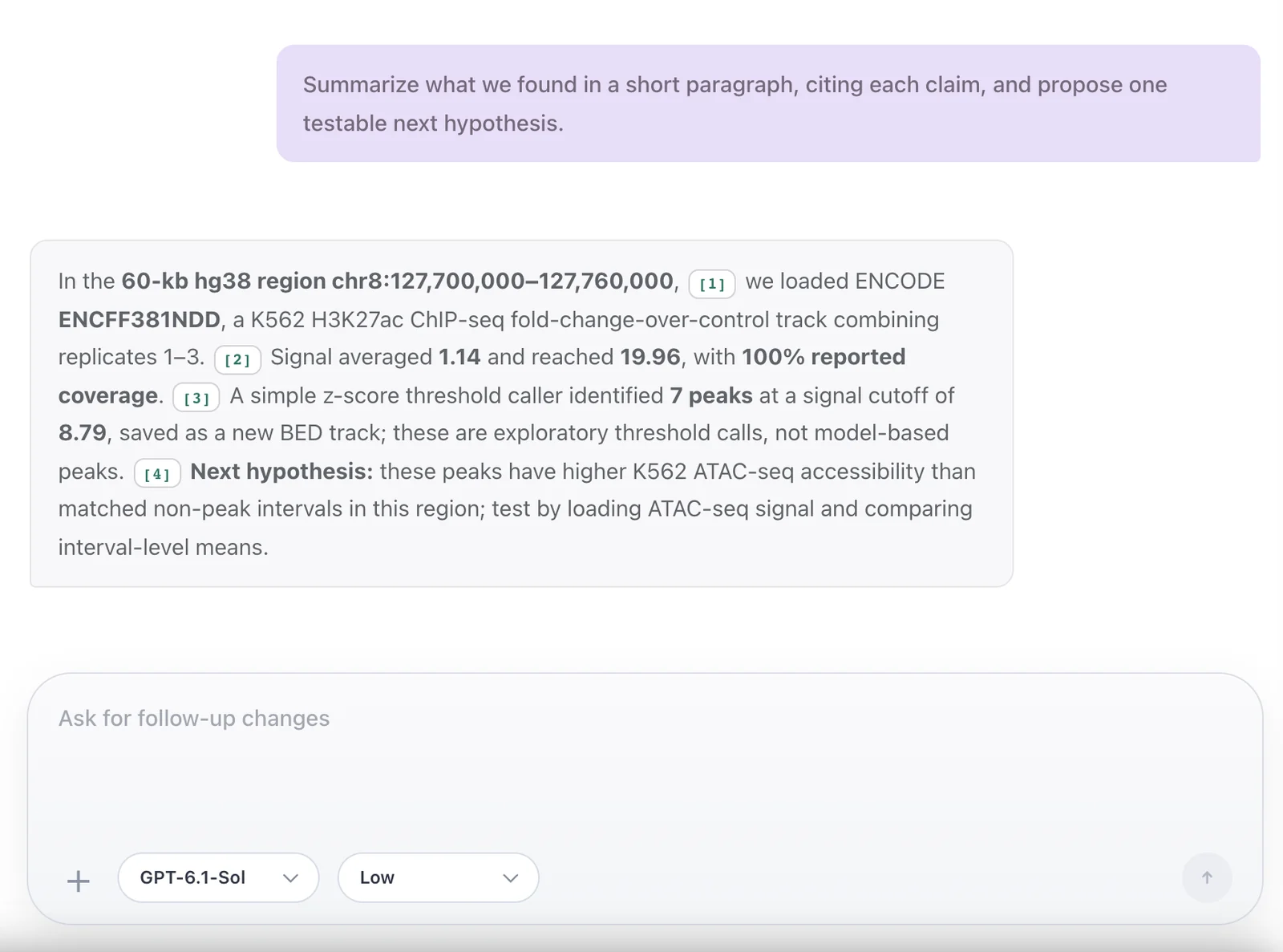
How a claim is grounded
The agent runtime calls Genie tools, which search ENCODE, read bigWig files, add tracks drawn by eg3 and return citation tokens for stored evidence records. A chip opens the tool's stored result, the ENCODE file record, or, for navigation and viewport summaries, only the region.
A chip shows which record a claim points to, not that the sentence is correct.
Citations and evidence →