Genie
Genie is a research workspace that puts a genome browser and an LLM agent side by side. The genome browser panel is rendered by eg3, the third-generation WashU Epigenome Browser engine. Next to it, a chat panel connects to an agent that drives the browser through declared tools: it can navigate to coordinates, search the ENCODE portal, load tracks, summarize what is in view and compute simple statistics. The tools, not the model, issue citation tokens, and the chat turns a token into a clickable chip only when it resolves to a record that a tool stored.
Open Genie in your browser at genie.epigenomes.net. You can start right away as a guest; create an account later to keep your projects. The web version includes the genome browser and projects; the assistant runs in the desktop app and the locally run web app (see Getting started).
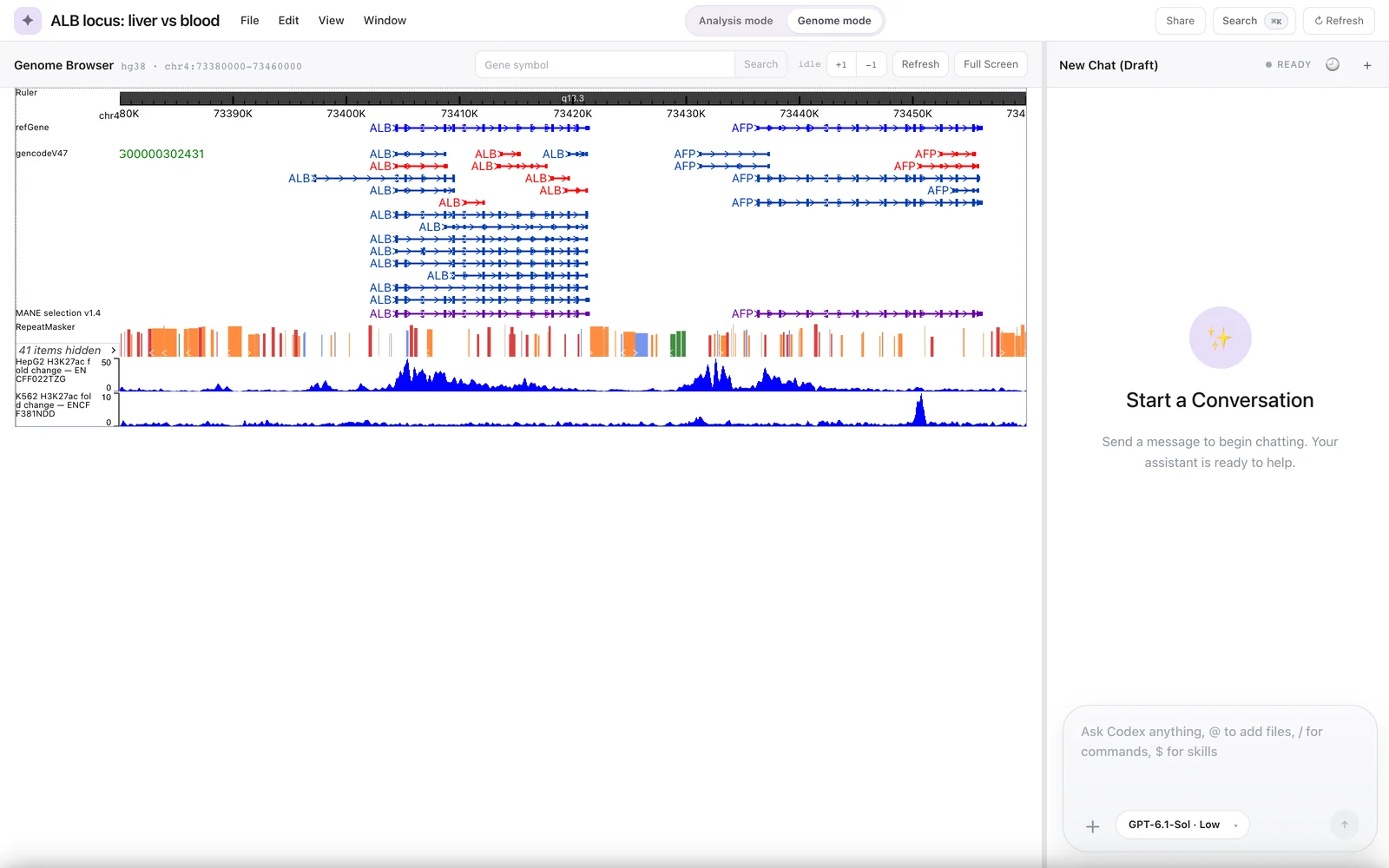
A Genome-mode workspace on hg38 at the ALB locus, with two ENCODE H3K27ac fold-change tracks loaded below the default annotation tracks.
What Genie is made of
| Part | What it does |
|---|---|
| Genome browser panel | Draws tracks for the project's genome with the vendored eg3 engine. You navigate by gene search, zoom buttons and dragging, and manage tracks with the Track Manager, Remote Tracks and Public Data Hubs. |
| Chat panel | Sends your requests to the agent and shows its answers, tool calls and citation chips. Clicking a chip opens the evidence panel. |
| Local backend | A Node.js server that stores each project on disk, starts the agent runtime and executes every tool call. |
| Agent runtime | The OpenAI Codex CLI, started as an app-server and spoken to over JSON-RPC. You pick the model and reasoning effort in the chat. |
| Desktop shell | An Electron app that packages the interface and backend; the assistant is on by default only in this build. |
Three agent modes
Each chat uses the tools and instructions of one mode:
- Genome mode (14 tools): navigate, search ENCODE, add tracks, summarize the viewport, compute signal statistics, call threshold peaks, quantify signal at features and compute binned Pearson correlation.
- Analysis mode (6 tools): read project assets and write a plan or other Studio output.
- Asset import mode (8 tools): bring local files, folders and URLs into the project as assets.
Together they declare 23 distinct tools. See Agent modes and the Tool reference.
What a citation chip does and does not tell you
A chip shows which stored record a claim points to: a computation result, an ENCODE file record or, for navigation and viewport summaries, only the region. It shows that the agent copied a token a tool issued in that chat. It does not show that the sentence is correct, and nothing stops the agent from writing uncited text. Read Citations and evidence before relying on an answer.
The numeric tools are simple and transparent by design: the peak caller keeps intervals at or above the mean plus two standard deviations, the correlation tool does not check normalization, and four of the five numeric tools refuse scopes over 5 Mb. In logged test sessions, the agent gave correct numbers followed by unsupported inferences. See Limitations and known issues.
How these docs are organized
| Section | For | Start with |
|---|---|---|
| Guide | Using the workspace and the genome browser | Getting started, Workspace tour |
| Assistant | Working with the agent, its tools and its citations | The Genie assistant |
| Reference | Shortcuts, assemblies, configuration, terms | Keyboard shortcuts, Glossary |
| Developers | Architecture, backend, engine, builds and tests | Architecture |
Acknowledgement
Genie's browser panel uses the WashU Epigenome Browser engine (eg3), which is free for non-commercial use under its own licence. Publications that use it must include the citation its licence specifies. See Browser engine.